Introduction to TradingView and Its Capabilities
In the dynamic landscape of financial trading, having access to accurate data and advanced analytical tools is crucial for success. TradingView stands out as a robust platform designed to empower traders and investors by providing real-time market data, professional-grade charting capabilities, and a comprehensive suite of features tailored for a variety of assets. This article delves into the essential capabilities of TradingView, illustrating how they enhance trading efficiency and decision-making.
What is TradingView?
TradingView is a cloud-based platform that offers an extensive range of market data for various assets, including stocks, forex, cryptocurrencies, and commodities. It's designed to cater to both novice and experienced traders by providing intuitive tools for chart analysis, social networking features for discussing strategies, and an array of customizable alerts to keep traders informed about market movements. The platform’s versatility across devices and systems makes it accessible to users whether they are at the office, at home, or on the go.
Key Features of TradingView
- Advanced Charting Tools: TradingView boasts a myriad of chart types, indicators, and drawing tools to facilitate in-depth technical analysis.
- Custom Alerts: Users can set price alerts, conditions based on technical indicators, and receive notifications via their preferred medium.
- Market Watchlists: Traders can create and manage multiple watchlists to monitor their favorite assets.
- Social Networking: The community aspect of TradingView allows users to share insights, strategies, and market analyses.
- Cross-Platform Access: The platform functions seamlessly across desktop, web, and mobile devices, ensuring a cohesive trading experience.
Benefits for Traders and Investors
Utilizing TradingView provides numerous advantages, including enhanced analytical capabilities, timely market alerts, and the ability to collaborate with a community of traders. These benefits make it easier to make informed trading decisions, manage risk more effectively, and stay ahead in a competitive market environment.
Understanding TradingView’s Chart Analysis Tools
Technical Analysis with TradingView
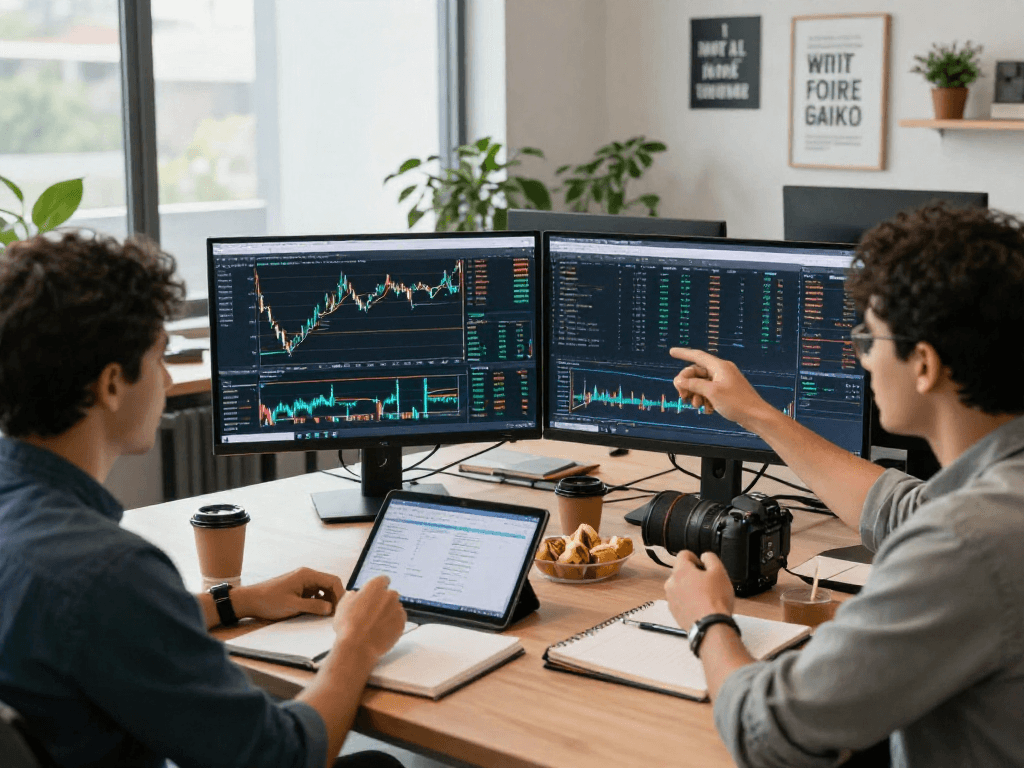
Technical analysis is at the heart of TradingView's offerings. Users can access sophisticated charting tools that support various technical analysis methods. With tools like Fibonacci retracements, trend lines, and candlestick patterns readily available, traders can perform intricate analyses and set up strategies directly on their charts.
Indicator and Drawing Tools Overview
TradingView includes a vast library of pre-built technical indicators as well as the ability to create custom indicators using Pine Script, TradingView's scripting language. Users can overlay indicators such as Moving Averages, RSI, and MACD to identify market trends and signals. The drawing tools add an extra layer of analysis, allowing traders to sketch patterns, support and resistance levels, and potential breakout points.
Multi-Timeframe Analysis Capabilities
The platform offers the flexibility to analyze multiple timeframes simultaneously. Traders can view short-term charts for quick trades while also keeping an eye on longer-term trends, providing a comprehensive perspective that aids in making well-rounded decisions.
Utilizing TradingView’s Alert Features
Setting Up Price Alerts
One of the most powerful features of TradingView is its alert system. Traders can set price alerts for specific assets, enabling them to receive notifications when an asset reaches a predetermined price point. This feature significantly reduces the need for constant monitoring and allows traders to focus on executing their strategies successfully.
Customizing Technical Condition Alerts
Beyond simple price alerts, TradingView allows users to create alerts based on technical conditions. For instance, alerts can be set to trigger when an indicator crosses a threshold, or when a specific candlestick pattern forms. This customization ensures that traders are notified about events that align with their trading strategies.
Integrating Alerts across Devices
The alerts set on TradingView are synchronized across all devices. Whether a user is on their mobile phone, tablet, or desktop, they will receive real-time notifications, ensuring they never miss a trading opportunity.
The Flexibility of TradingView across Platforms
Compatibility with Desktop and Mobile Devices
TradingView is designed to operate seamlessly across various platforms. Users can access its full functionality through web browsers, desktop applications for Windows, macOS, and Linux, and mobile applications for both iOS and Android. This cross-device compatibility means that traders can perform analyses, view charts, and manage alerts no matter where they are.
Real-Time Data Synchronization
One of TradingView's standout features is its ability to sync data in real-time across devices. This means that any changes made on one device—be it a new alert, a drawn trend line, or a selected watchlist—are immediately updated across all other devices. This synchronization enables a fluid trading experience and enhances the workflow for traders who operate in different environments.
Benefits of Cross-Platform Trading
The advantages of being able to trade seamlessly across multiple platforms are manifold. It allows for greater flexibility and can lead to better trading outcomes, as traders can react swiftly to market changes without being tied to a single device. Additionally, the ability to switch between devices means that users can capitalize on opportunities whenever they arise.
Future Trends in Trading with TradingView
Emerging Features and Innovations for 2026
As financial markets continue to evolve, so too does TradingView. The platform is expected to introduce new features that leverage advancements in technology, such as enhanced AI-driven analytics, which will offer users even deeper insights into market data. Features like predictive analytics and advanced algorithmic trading tools are on the horizon, enhancing traders' ability to navigate complex market conditions.
Adapting to Changes in Financial Markets
The world of trading is ever-changing, and TradingView is committed to adapting to these changes. By continuously integrating user feedback and market trends, the platform is poised to remain at the forefront of trading technology, ensuring that its users are well-equipped to meet future challenges.
Expert Predictions for TradingView Users
Industry experts predict that the integration of social trading features, which allow users to mimic the strategies of successful traders, will grow in popularity. This democratization of trading knowledge will empower both novices and experienced traders by fostering a collaborative learning atmosphere.
What are the advantages of using TradingView for beginners?
For beginners, TradingView provides a user-friendly interface coupled with a wealth of educational resources, making it an ideal platform for those just starting their trading journey. The community forums and tutorials offer an excellent support system for new traders looking to develop their skills.
How does TradingView compare to other trading platforms?
When compared to other trading platforms, TradingView distinguishes itself through its superior charting capabilities, extensive community support, and a vast array of technical tools. Its cloud-based technology allows for ease of use and accessibility that many traditional platforms lack.
Are the alerts on TradingView customizable?
Yes, TradingView offers extensive customization options for alerts, allowing users to tailor notifications to their specific trading strategies and preferences. This flexibility ensures that traders can stay informed about the market conditions that matter most to them.
What devices can I use TradingView on?
TradingView is accessible on a wide range of devices, including desktop computers (Windows, macOS, Linux), web browsers, and mobile devices (iOS, Android). This cross-platform accessibility ensures that users can trade and analyze markets whenever and wherever they choose.
Is TradingView suitable for professional traders?
Absolutely, TradingView is equipped with advanced tools and features that cater to professional traders. Its high-level analytics, real-time data feeds, and customization options make it a valuable asset for anyone looking to enhance their trading experience.